
Village in the Shade Farm Layout: Practical Planning Tips
A useful Village in the Shade farm layout keeps everyday chores and walking manageable while leaving room for later projects.
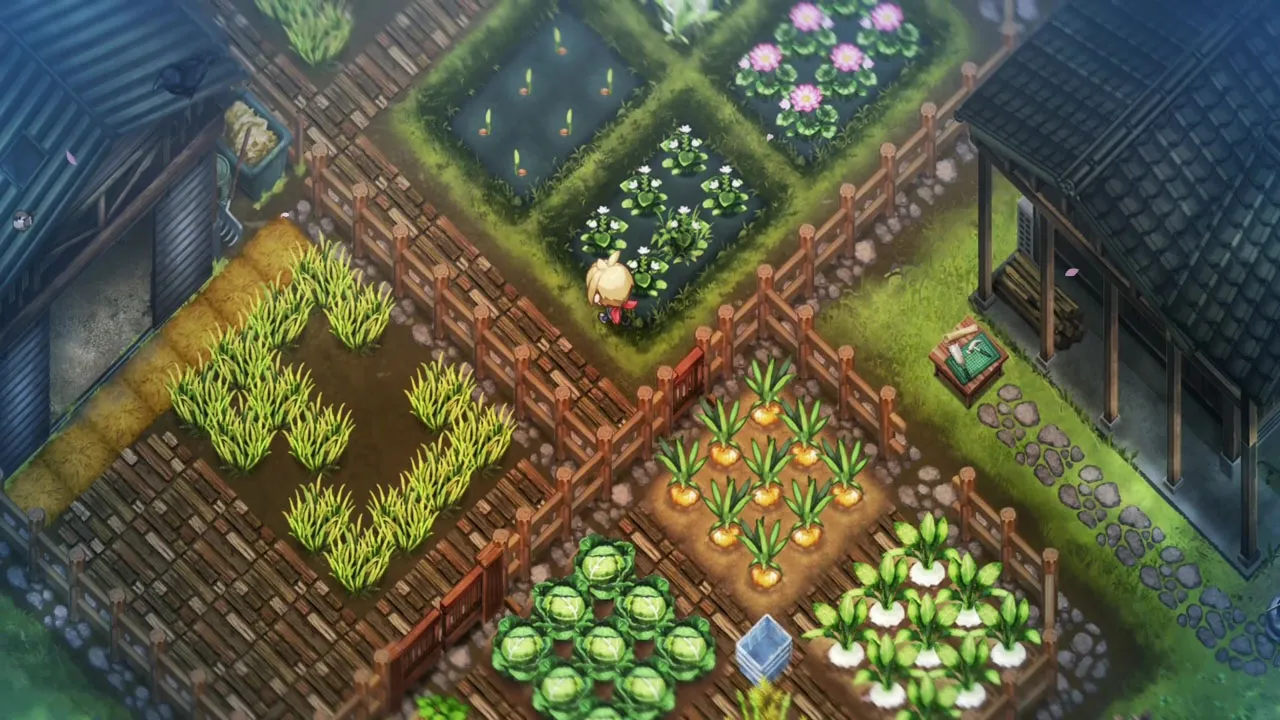
What makes a farm layout useful?
A useful layout is one you can maintain without crowding out the rest of your day. The official game overview confirms farming, livestock, and home customization, but it does not publish a mathematically optimal field plan.
The Perfect Farming Sim for Halloween is here! Village in the Shade · Josh's Gaming Garden
Third-party English-language launch-day gameplay used as general reference for the 2026 original game. It is not a dedicated tutorial or proof of a particular location, setting, route, or patch behavior.
Cover context: Official planted-farm screenshot; illustrative layout, not a proven optimum.
Treat the ideas below as a starting point. Your available land, unlocked buildings, preferred activities, and decorating goals can all change the design.
How should you organize the first working area?
Keep a clear route from the house to the crops and any animals you own. Group activities you repeat together and leave space to reach containers, processing equipment, and entrances. Avoid buying enough planting work to consume the entire routine before you know what other tasks require.
There is no need to fill every available square immediately. A smaller arrangement that you can tend consistently is more useful than a large field that prevents you from completing requests.
What should stay flexible?
Leave room for future buildings, access paths, and newly introduced activities such as paddies. Do not assume that a screenshot’s arrangement is a blueprint with the best output or that every object can be moved without cost.
Before changing a structure, check the game’s actual relocation, construction, or order interface. This guide does not promise free moves or refunds.
How can you compare two designs?
Observe your own routine: where do you backtrack, which entrance is awkward, and what daily task gets skipped? Change one part at a time so you can identify whether it helped. Keep resource production and personal decorating preferences as separate goals.
For additional land and catalog-related features, use the patch guide’s actual prerequisites. A convenient design does not bypass story unlocks, shop stock, or building requirements.
Related guides
Media sources
Related Articles
community
Village in the Shade Discord: Publisher and Player Communities
NIS America’s Discord is a publisher community that can help you find other Village in the Shade players.
community
Village in the Shade Official Website and Store Links
The official English Village in the Shade website is operated by NIS America, with a separate Japanese site from Nippon Ichi Software.
community
Village in the Shade Reddit: Reviews, Help, and Spoiler Etiquette
Reddit discussions can help you compare player impressions of Village in the Shade, but they are not official patch notes.
Was this helpful?
Thanks for the feedback!