
Village in the Shade Character Customization: Hair and Clothing
Village in the Shade offers hair and clothing choices, with more changes reported through a wardrobe.
What can you customize?
The official game description presents homestead customization, while the details of the character’s appearance options are described in a Steam player discussion.

Village in the Shade Launch Trailer - (Nintendo Switch, Nintendo Switch 2, PlayStation 5, and Steam) · NIS America
Official launch trailer used as general reference for the 2026 original game. It is not a dedicated tutorial, a hardware test, or proof of a specific mechanic, patch, translation, price, or demo.
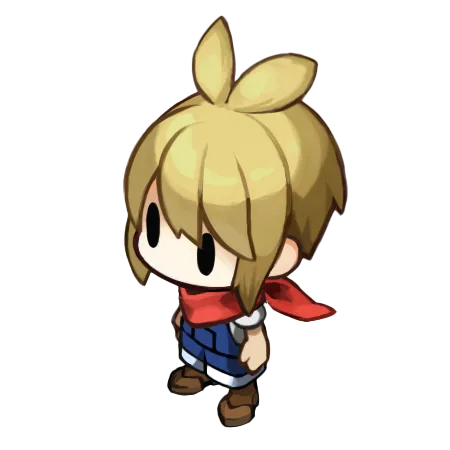
Cover context: Official protagonist sprite artwork; not a character-creation or customization interface.
In that September 1 report, player Chika Ogiue describes separate front and back hair choices, hair colors, clothing, accessories, and a wardrobe for later changes. Treat these as attributed observations of the released game rather than a newly tested Patch 1.30 specification.
How many hair options were reported?
The player recorded 8 front-hair choices, 12 back-hair choices, and 18 preset colors, with a color slider also available. This does not prove that every possible combination works with every accessory or that later builds have identical counts.
The same report says that skin tone and eye color are fixed. Its explanation of why those options are fixed is a player interpretation; this wiki does not present that explanation as a developer statement.
How does the wardrobe fit in?
The report says clothing and accessories must be obtained and a wardrobe built before using the later appearance options. Replies mention progression and night-event rewards, but they do not establish a universal unlock date or equivalent access in Sunshine mode.
Follow the actual instructions and available furniture in your save. If a wardrobe has not appeared, do not assume a bug or purchase a supposed unlock from an unrelated guide.
What should you check when an accessory does not fit?
Compare the selected hairstyle and the accessory’s on-screen restriction. The player specifically notes hairstyle conflicts. Test the combination in the interface before spending resources on a look that depends on it. The cover is official protagonist artwork, not a screenshot of the customization menu.
Related guides
Media sources
Related Articles
community
Village in the Shade Discord: Publisher and Player Communities
NIS America’s Discord is a publisher community that can help you find other Village in the Shade players.
community
Village in the Shade Official Website and Store Links
The official English Village in the Shade website is operated by NIS America, with a separate Japanese site from Nippon Ichi Software.
community
Village in the Shade Reddit: Reviews, Help, and Spoiler Etiquette
Reddit discussions can help you compare player impressions of Village in the Shade, but they are not official patch notes.
Was this helpful?
Thanks for the feedback!